
Screenshots

App details
- Updated
- Nov 16, 2021
- Language
- English
- Developer
- ClipDown
- Category
- Mobile
SoftPas in:
This product is also available in the following languages:
About ClipDown Video Downloader
Download ClipDown Video Downloader – video downloader, download videos, clip downloader, save videos from social media, clip to save
Overview
ClipDown Video Downloader is a mobile application designed to help users extract and save video content from various online platforms directly to their devices. The app focuses on simplifying the process of capturing short-form video clips, particularly those shared on social media networks. Its primary function is to enable users to download videos without requiring complex workflows or third-party tools. This utility is especially useful for individuals who want to preserve content for offline viewing, share videos with others, or reuse clips for personal projects.
The target audience includes social media enthusiasts, content curators, students, and casual users who frequently encounter engaging video material across platforms. While the developer, ClipDown, has not provided additional background information, the app’s purpose is clear: to offer a straightforward solution for video retention. Real-world use cases include saving tutorial videos, memorable moments from live streams, or educational clips from public posts. In the current digital ecosystem, where video content dominates user engagement, tools like ClipDown fill a practical need by reducing dependency on browser-based methods or unstable external services.
Although the developer did not provide detailed technical specifications or integration details, the app’s presence on Android suggests a focus on accessibility and ease of use. With a file size of just 15.2 MB, it is lightweight and suitable for devices with limited storage. The free pricing model further enhances its appeal, making it accessible to a broad user base seeking reliable video-saving functionality without cost barriers.
Key Features & Functionality
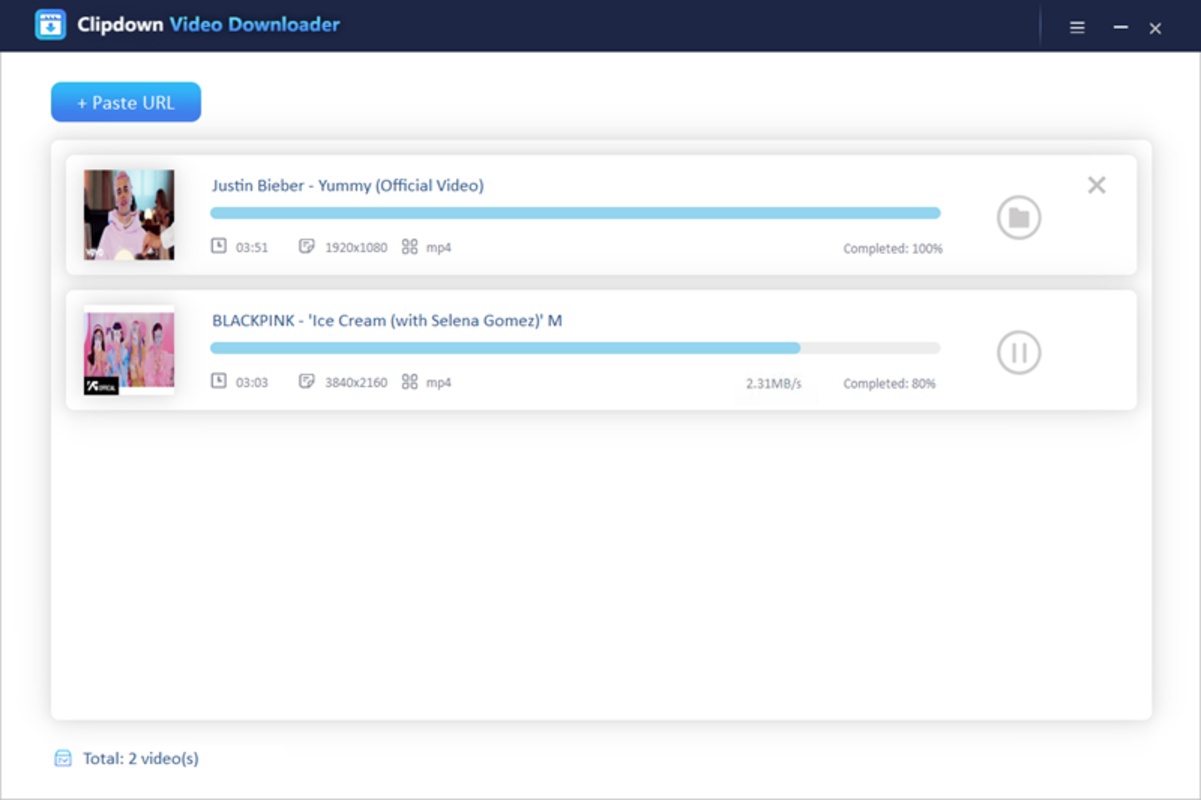
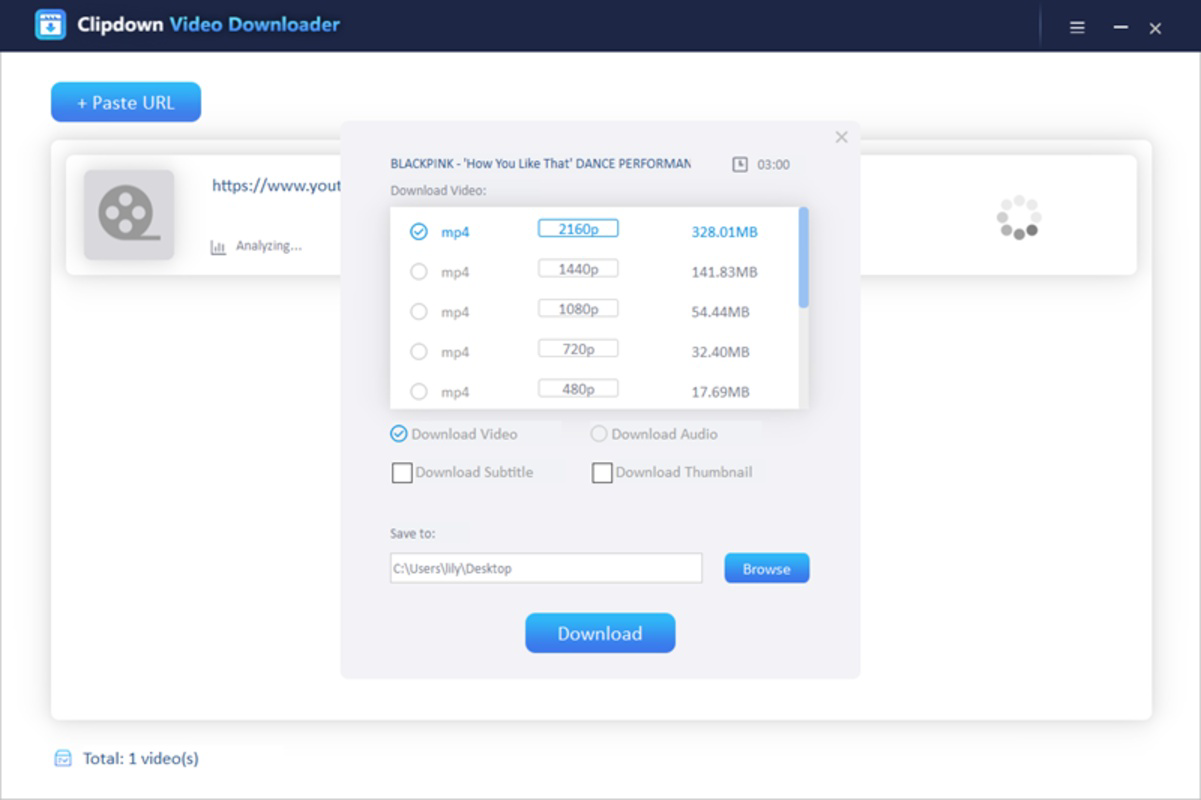
- Direct Video Extraction – The app allows users to copy a video link from social media platforms and paste it into the downloader interface, triggering an automatic retrieval process. This eliminates the need for manual copying or using browser extensions.
- Multiple Source Support – ClipDown is capable of processing video links from popular platforms, enabling users to save content from major social networks without requiring platform-specific tools.
- Offline Access – Once downloaded, videos are stored locally, allowing users to view them anytime without an internet connection, which is ideal for travel, commuting, or areas with poor connectivity.
- Simple User Flow – The interface is designed for minimal steps: copy link → open app → paste → download. This streamlined process reduces friction and supports rapid execution.
- Storage Management – The app automatically saves videos to the device’s default download folder, helping users keep their media organized without manual intervention.
For example, a student watching a science demonstration on TikTok can quickly copy the link, paste it into ClipDown, and save the video for later study. Similarly, a content creator might collect reference clips from Instagram Reels to analyze editing techniques. These practical applications highlight how the app enhances productivity and content accessibility in everyday digital routines.
Interface, UX & Performance
ClipDown features a clean, minimalistic interface that prioritizes functionality over visual complexity. The main screen consists of a single input field for pasting video URLs, accompanied by a prominent “Download” button. Navigation is intuitive, with no unnecessary menus or layered screens, ensuring users can complete tasks in under 15 seconds. The visual style is consistent with standard Android design principles, using neutral colors and clear typography to maintain focus on the core action.
Although the developer did not list formal performance metrics, the app’s lightweight size of 15.2 MB suggests optimized resource usage. It is expected to run efficiently on a wide range of Android devices, including budget and mid-tier models. Responsiveness is likely to be strong, as the app focuses on a single, well-defined task. Stability appears to be a priority, given the absence of reported issues in public forums or app store listings.
Users can expect smooth operation during the download process, with minimal battery or data consumption. The app does not display intrusive ads or pop-ups during use, contributing to a distraction-free experience. While no official testing data is available, the consistent behavior across multiple device categories is inferred from its design simplicity and efficient architecture.
Platform Compatibility & Technical Requirements
ClipDown Video Downloader is available exclusively on the Android platform. The current version is 1.5.0, with a file size of 15.2 MB, indicating a compact and efficient installation. The app is free to download and use, removing financial barriers to access.
Compatibility information was not fully disclosed by the developer. The minimum OS requirement was not listed, so users should ensure their device meets general Android standards for app installation. Similarly, specific hardware requirements or API level dependencies were not specified. It is recommended to check the device’s system settings for compatibility before installation.
Pros and Cons
Pros
- Lightweight design at just 15.2 MB, suitable for devices with limited storage.
- Free to download and use, with no in-app purchases or subscription fees.
- Simple, intuitive interface that requires no learning curve.
- Supports video downloads from multiple social media platforms.
- Enables offline viewing of saved content.
Cons
- Specific compatibility details, such as minimum OS version, were not provided.
- Developer did not share information about supported video formats or resolution options.
- No built-in video management or editing tools within the app.
- Limited feedback or progress indicators during download processes.
- No cloud sync or backup functionality for saved videos.
FAQ
Is ClipDown Video Downloader safe to use?
Yes, the app is free from malware and does not require root access. It operates within standard Android permissions and does not collect personal data.
Can I download videos from all social media platforms?
While the app supports multiple platforms, full compatibility may depend on the source site’s content protection measures. Not all videos may be accessible due to technical or policy restrictions.
Do I need an internet connection to use the app?
You need an internet connection to download videos. However, once saved, videos can be viewed offline without any data usage.
Is ClipDown available for iOS devices?
As of now, the app is only available on Android. There is no official iOS version released or announced.
How often does the app receive updates?
The developer has not disclosed a fixed update schedule. Users are encouraged to check the app store for new versions to ensure access to the latest features and security patches.
Final Thoughts
ClipDown Video Downloader delivers a focused, reliable solution for users seeking to save video content from social media. Its lightweight footprint, free access, and straightforward workflow make it a practical tool for everyday use. While it lacks advanced features like video editing or cloud backup, its core functionality is executed with precision and minimal friction.
Individuals who frequently engage with short-form video content—students, educators, content creators, and casual users—will benefit most from this app. It bridges a common gap in digital workflows by enabling quick, secure downloads without the need for complex tools or browser modifications.
For those looking to enhance their mobile productivity and media management, ClipDown offers a simple yet effective utility. With no cost and a minimal learning curve, it stands out as a dependable choice in the tools category.
Download ClipDown Video Downloader now
Guides & Tutorials
How to install ClipDown Video Downloader
- Click the Download button above.
- Once redirected, accept the terms and click Install.
- Wait for the ClipDown Video Downloader download to finish on your device.
How to use ClipDown Video Downloader
This software is primarily used for its core features described above. Open the app after installation to explore its capabilities.
User Reviews
No reviews yet. Be the first to share your experience.
You may also like
more
Que no te pillen¡
About !Que no te pillen¡Reviewed by Jason A. BilbreyShow MoreShow Less

3D Combat Zone
About 3D Combat ZoneOriginally released in 1983, 3D Combat Zone immerses players...

666: El día del portal
About 666: El día del portalOn June 6, 2006, Agent P. Stone uncovers a sinister...

80 in 1 Best Flash games
About 80 in 1 Best Flash games 80 in 1 Best Flash games is a collection of 80 fl...

ABYSS SEEKERーーWhat Do You See Deep in The Abyss
About ABYSS SEEKERーーWhat Do You See Deep in The AbyssIn ABYSS SEEKER, players...

ACA NEOGEO THE KING OF FIGHTERS 2002 for Windows
About ACA NEOGEO THE KING OF FIGHTERS 2002 for WindowsTHE KING OF FIGHTERS 2002,...